



Deadshot Io Mods Game
Tap Road 2

Racing Pop

Blue Mushroom Cat Run

Epic Road Idle

2048 Snakeio

Basketball Stars
Super Runcraft
Street Escape

Sprunki Phase 25

Sprunki Phase 24
Fish Dive
Sprunki Phase 21

Granny 6

Little Dino Adventure Returns

Sprunki Symphony Of Pride

Sprunki Chaotic Good Plus
Parkour Block 3

Rocket Soccer Derby
Short Life
Sprunki Abstraction Treatment
How To Play Deadshot Io
Getting into the action is deliberately frictionless. From the main menu, simply press the Play button, and the matchmaking system pairs you with real players in a matter of seconds. For those who prefer a more controlled introduction or wish to practice with friends, the Custom Lobby option allows you to create private rooms where you can experiment with maps, weapons, and game modes at your own pace. No account is required to play, but registering one unlocks the Shop and Locker, enabling you to permanently save unlocked weapons and customi
Deadshot Io Wiki
Summary
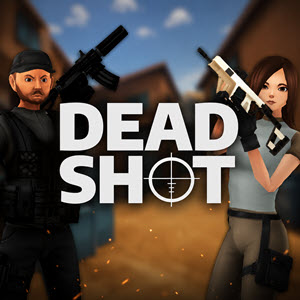
Deadshot IO is a browser-based multiplayer first-person shooter that strips away the unnecessary complexities of modern FPS titles and delivers a raw, skill-driven combat experience. Designed for players who crave instant action and competitive depth, the game places every shot under a microscope—accuracy, timing, and positioning are the only currencies that matter. Without a lengthy tutorial or convoluted progression systems, Deadshot IO drops you directly into online matches against global opponents within seconds. Whether you prefer the steady patience of a sniper, the aggressive rush of a shotgun-wielding brawler, or the versatile adaptability of an assault rifle user, the game offers a compact yet surprisingly deep arsenal to suit diverse playstyles. Multiple game modes—Free for All, Team Deathmatch, Hardpoint, Kill Confirmed, and Domination—ensure that no two matches feel identical, while a lightweight ranking and customization system provides long-term goals without overwhelming casual players. In essence, Deadshot IO is a distilled FPS experience built for pure mechanical competition, where each bullet fired carries the weight of your reputation.
ze your character’s appearance.
Weapon Selection occurs before each battle. The available categories are straightforward yet cover all primary FPS archetypes:
- SMGs – Ideal for run-and-gun tactics in close quarters due to high fire rate and mobility.
- Assault Rifles – The jack-of-all-trades, offering balanced damage, range, and controllability for most combat situations.
- Sniper Rifles – Devastating at long distances but require steady aim and patience; a single well-placed shot can turn the tide.
- Shotguns – Unmatched devastating power at point-blank range, perfect for aggressive pushes through tight corridors.
Basic Controls are standard for PC-first shooters:
- WASD – Movement
- Space – Jump
- Shift – Crouch or slide (sliding can be activated while sprinting)
- Left Mouse Button – Fire weapon
- Right Mouse Button (or L key) – Aim down sights (ADS)
- Enter – Open chat
- Esc – Pause or access the menu
Each match contributes experience points toward your overall level and ranking. As you progress, you unlock access to more weapons and cosmetic items, though the core gameplay remains balanced around starting gear—skill, not gear, decides the winner.
Key Features
Instant Multiplayer Action
Deadshot IO excels in its ability to get you into a real-time competitive match with minimal delay. There is no waiting for server queues, no lobby fill-times, and no lengthy load screens. The “one-click-to-play” philosophy ensures that even a five-minute break can accommodate a full match.
Diverse Game Modes
Five distinct modes keep the gameplay fresh:
- Free for All – Every player for themselves; highest kill count wins.
- Team Deathmatch – Classic team-based kill race.
- Hardpoint – Capture and hold rotating zones for points.
- Kill Confirmed – Collect dog tags from fallen enemies to secure kills.
- Domination – Control three fixed objectives to accumulate score.
Balanced Weapon Progression
All weapons are viable immediately; the progression system (experience-based leveling) unlocks additional variants and customization options but does not grant statistical advantages. This ensures that a beginner with a stock assault rifle can defeat a veteran with a rare skin, provided they have superior aim and tactics.
Account-Based Persistence
Creating a free account enables the Shop and Locker systems, allowing you to save your favorite loadouts and cosmetic unlocks across sessions. This adds a layer of personalization without introducing pay-to-win elements.
Accessible Yet Deep Controls
While the basic move-and-shoot mechanics are intuitive, the inclusion of aiming down sights and sliding mechanics introduces a skill gap for players who master movement and precision. The slide, in particular, can break enemy aim and create unpredictable engagement angles.
Precautions/Tips
Aim Down Sights (ADS) for Consistency
Hip-firing is viable only at extreme close range. At medium or longer distances, always use ADS (right-click or L key) to tighten your bullet spread and ensure hits. ADS reduces movement speed slightly, so learn when to toggle it vs. when to keep moving.
Master the Slide
Sliding (Shift while sprinting) is not just a movement flair—it dramatically changes your hitbox and can dodge incoming fire. Use slides to cross open areas, escape ambushes, or surprise enemies around corners. However, sliding leaves you vulnerable while the animation ends, so avoid using it predictably in straight lines toward opponents.
Learn Map Layouts
Each map has chokepoints, elevated positions, and flank routes. Spend time in custom lobbies or early matches memorizing spawn points and sightlines. Knowing where enemies are likely to appear allows you to pre-aim and win duels before they start. High ground often grants a significant advantage in visibility and cover.
Prioritize Positioning Over Kills
Chasing kills blindly often leads to overextension and death. Instead, secure advantageous positions (e.g., a covered corner overlooking a busy lane) and force enemies to come to you. In objective modes, holding a point or protecting a teammate is more valuable than racking up a high kill count.
Manage Weapon Range
Each weapon type has an optimal engagement distance. Do not challenge a sniper in a long corridor with an SMG, and do not try to out-damage a shotgun in a tight room with a sniper rifle. Switch weapons between rounds if needed, and adapt your playstyle to the current map.
Use Chat Sparingly
The Enter key opens text chat. While communication can be helpful for coordinating in team modes, typing during a firefight can cost you precious seconds. Keep callouts brief or use voice communication if available through third-party tools.
Avoid Burnout
Matches are short and intense, but the quick reset can encourage endless play. Take breaks between sessions to maintain focus—fatigue degrades reaction time and aim quality faster than in slower-paced games.
Deadshot Io Frequently Asked Questions
Q: What is Deadshot IO?
A: Deadshot IO is a thrilling multiplayer FPS where quick reflexes and sharp aim decide every battle. You jump straight into online matches, pick your favorite weapon, and compete against players worldwide in fast-paced game modes.
Q: How do I start playing Deadshot IO?
A: Simply press Play, and you'll be matched with real players in seconds. If you prefer a more relaxed start, create a custom lobby to practice maps and game modes with friends.
Q: How can I level up and climb rankings?
A: Earn experience after every match to level up and climb the rankings. Players who create an account can also unlock the Shop and Locker.
Q: What benefits come with creating an account?
A: Creating an account unlocks the Shop and Locker, allowing you to save new weapons and customize your appearance permanently.
Q: What weapons are available in Deadshot IO?
A: The game offers SMGs for speedy close-range combat, Assault Rifles for balanced firepower, Sniper Rifles for precision long-distance eliminations, and Shotguns for devastating attacks at point-blank range.
Q: What game modes are featured?
A: The multiplayer modes include Free for All, Team Deathmatch, Hardpoint, Kill Confirmed, and Domination.
Q: What are the default keyboard controls?
A: WASD to move, Space to jump, Shift to crouch or slide, Left Mouse Button to shoot, Right Mouse Button (or L) to aim down sights, Enter to chat, and Esc to pause or open the menu.
Q: How do I aim down sights?
A: Press the Right Mouse Button or the L key to aim down sights for greater accuracy.
Q: What is a key winning tip for accuracy?
A: Aim down sights for greater accuracy, especially when fighting at medium or long range.
Q: How can I avoid enemy fire?
A: Use slides to avoid enemy fire and catch opponents off guard.
Q: How can I improve my map awareness?
A: Learning each map's layout helps you predict enemy movements and secure important positions.
Q: Should I chase every opponent?
A: No, instead of chasing every opponent, focus on smart positioning and controlled engagements.
Q: Why should I play Deadshot IO?
A: Deadshot IO combines accessible controls, competitive multiplayer action, and a satisfying variety of weapons into an addictive FPS experience. Every match is short, intense, and filled with opportunities for incredible plays.
Q: What is the core message of the game?
A: The core message is that every shot matters—lock in your target, pull the trigger, and prove that every shot really does count.
Q: Can I customize my character's appearance?
A: Yes, after creating an account, you can use the Locker to customize your appearance permanently.
Q: What is the gameplay style of Deadshot IO?
A: It is a fast-paced FPS where quick reflexes and sharp aim decide every battle, with no long tutorial to slow you down.
Q: How do I choose a weapon before battle?
A: Before each battle, you can choose a weapon that fits your playstyle from the available categories: SMGs, Assault Rifles, Sniper Rifles, or Shotguns.
Q: What is the range specialty of SMGs?
A: SMGs are designed for speedy close-range combat.